Table of Contents
AI customer service for small businesses can make the difference between waking up to missed opportunities and waking up to customer questions that have already received helpful answers.
Imagine this: you wake up, grab your coffee, and check your phone.
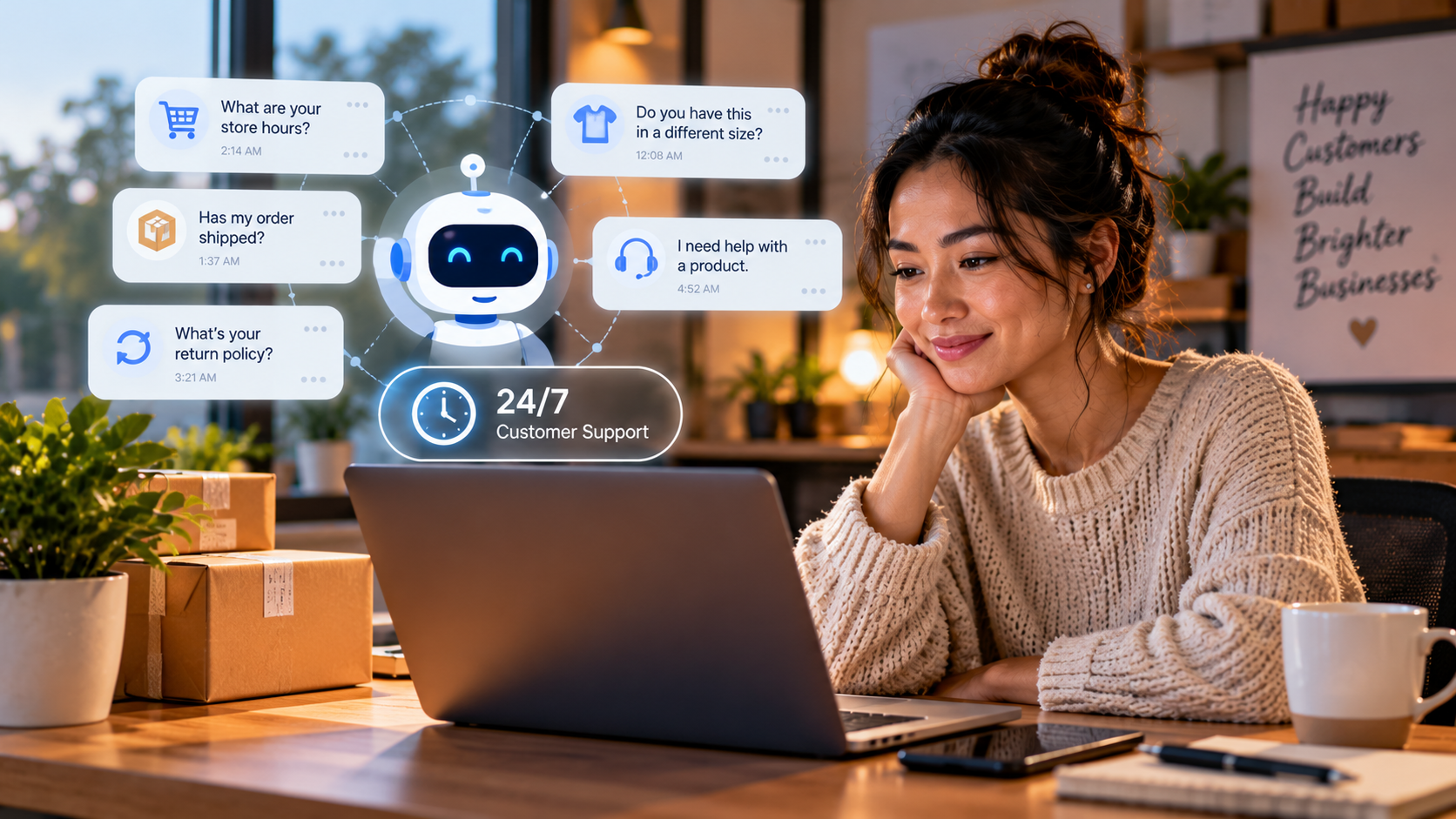
Overnight, five customers reached out to your business.
Two wanted to know your opening hours. One asked whether an order had shipped. Another needed clarification about your return policy. And the last customer had a problem with a product they’d purchased.
If you’re running a small business and handling customer support yourself, you know how quickly those messages can pile up.
By the time you respond, some customers may have already moved on.
But what if your business could answer routine questions while you sleep, collect important customer details, and flag complicated issues for you to handle personally?
That’s where AI-powered customer service becomes useful.
You don’t need a huge support team or advanced technical skills to get started. With the right setup, an AI assistant can help customers find answers around the clock while keeping human support available for situations that require judgment, empathy, or personal attention.
In this guide, we’ll walk through how to choose the right AI customer service tools, train them to reflect your brand voice, build reliable support workflows, and measure whether the system is actually helping your business.
Because customers should be able to reach your business even when you’re unavailable—and they should know when a real person will step in.

Why 24/7 Customer Service Matters
Modern customers want help now, not when it’s convenient for you. Delayed responses often lead to lost sales as customers look elsewhere. Every unanswered message is a missed opportunity to build loyalty and trust. And your competitors are likely already using automated systems, creating a new standard of service.
One business owner shared their experience: “I used to wake up to dozens of unanswered messages every morning. By the time I responded, many potential customers had already gone elsewhere. Now my AI handles most questions overnight, and I only need to address the complex issues when I start my workday. Our sales have increased 28% simply because we’re not losing those overnight opportunities anymore.”
That’s the transformation possible when you stop letting customer service be a source of stress and turn it into a competitive advantage.
First, Find Your Pain Points
Before you pick any AI tool, you need to understand exactly where your current customer service falls short. The guide recommends a simple one-week audit. For every customer question that comes in—through email, phone, social media, or website forms—track the question, when it arrived, when you responded, which channel it came through, whether it was simple or complex, and whether it required customer-specific data.
After a week, look for patterns:
- What percentage of questions are simple and repetitive?
- What’s your average response time?
- How many questions come in outside business hours?
- What are the most common types of questions?
Most businesses discover that 60–80% of customer inquiries are routine questions that could be handled by AI, with only 20–40% requiring human judgment. That’s a huge chunk of your time you could reclaim.
The guide also suggests calculating the true cost of your current customer service. If you spend 15 hours weekly answering questions and your time is worth $50/hour, you’re spending $750 weekly—or $39,000 annually—just on customer service. If AI handles 70% of those inquiries, you’d reclaim 10.5 hours weekly (worth $525) while providing faster service.
Choosing the Right AI Tool for Your Business
With your audit in hand, you can choose an AI tool that fits your needs and budget. The guide breaks down options by business size:
- Solopreneurs and micro-businesses (budget: $0–$50/month): Simple chatbot builders like ManyChat or Tidio, AI assistants with free tiers, basic website chat widgets.
- Small businesses with growing teams (budget: $50–$200/month): Dedicated AI customer service platforms like Intercom or Drift, tools with CRM integration.
- Established businesses scaling operations (budget: $200–$500/month): Enterprise-grade AI like Zendesk AI or Salesforce Einstein, custom solutions, advanced analytics.
Before committing, test the tool using free trials. One small e-commerce business selling handmade jewelry tried three different platforms before finding the right fit. The first was too basic and couldn’t access order information. The second was powerful but required extensive technical knowledge. The third offered the right balance—easy setup with pre-built templates for common e-commerce questions, plus the ability to check order status automatically. Testing saved them from wasting money on the wrong tool.
Train Your AI to Sound Like You
An AI assistant is only as good as the training you give it. The guide emphasizes documenting your brand voice first. Ask yourself: If your brand were a person, how would you describe their personality? What adjectives best describe your communication style? Do you use contractions, emojis, or slang? What should be avoided?
For example, a boutique bakery might define their voice as “warm, friendly, and slightly playful, with a passion for baking that comes through in our language. We refer to customers as ‘friends’ and use baking metaphors. We use contractions and occasional emojis, but avoid slang or anything that might seem unprofessional when discussing food safety or allergens.”
Next, create responses for your most common questions. Keep answers concise but complete, include links to more detailed information when appropriate, and ensure everything is current and accurate. The guide provides a sample response for business hours:
“We’re open Monday through Friday from 9am to 6pm, and Saturdays from 10am to 4pm. We’re closed on Sundays to recharge our creative batteries! If you need anything urgent outside these hours, you can always email us at help@yourbusiness.com, and we’ll get back to you when we open. Is there something specific you’re looking to do during your visit?”
Notice how it answers the question, uses a friendly tone, provides after-hours guidance, and ends with a follow-up question to keep the conversation going.
For more complex inquiries—like order status questions—the guide recommends creating response trees that guide customers through branches based on the information they provide. And don’t forget to train your AI on your specific products, services, and policies. Create a knowledge base covering product details, pricing, warranty information, return policies, and more. Most AI platforms let you upload this information directly.
Balancing AI Efficiency with Human Empathy
The most effective customer service systems combine AI speed with human touch. The guide draws a clear line between what AI should handle and what requires a person:
- AI-appropriate: Providing factual information (hours, prices, locations), answering FAQs, collecting initial information, scheduling appointments, tracking orders, suggesting products.
- Human-appropriate: Handling complaints or upset customers, resolving complex technical issues, making policy exceptions, providing personalized advice, negotiating terms, building relationships with VIP clients.
When a conversation needs to move from AI to a human, make the handoff seamless. Ensure the human agent receives the full conversation history, create templates for how agents introduce themselves, and set up alerts for waiting conversations. The guide offers a sample handoff response:
“Hi [Name], I’m [Agent Name], a customer support specialist at [Business]. I’ve reviewed your conversation and I understand you’re asking about [topic]. Let me help you with that…”
Measure, Improve, Repeat
You can’t improve what you don’t measure. The guide recommends establishing baseline metrics before you launch your AI: average response time, percentage of inquiries resolved on first contact, customer satisfaction scores, time spent on customer service per week, and more. Once your AI is running, track AI-specific metrics like resolution rate (how many conversations the AI handles without human help), escalation rate, average conversation length, and after-hours engagement.
After a month, calculate your ROI. The guide provides a simple formula: if your AI saves you 10 hours weekly, your time is worth $50/hour, and the tool costs $200/month, your annual time value is $26,000. Your annual AI cost is $2,400. That’s a 10.8× return on investment. Beyond the numbers, consider the qualitative benefits: less stress, better work-life balance, more consistent customer experiences, and the ability to scale without hiring.
Use your metrics to continuously improve. Identify questions the AI frequently escalates and add better responses. Refine conversation flows where customers get stuck. Update any outdated information. The guide recommends weekly reviews of escalated conversations, monthly analysis of performance metrics, and regular updates to your knowledge base.
Avoiding Common Pitfalls
The guide highlights several mistakes to watch for:
- Overly robotic responses: Add personality, include variations, and use conversational language. Compare “Your order has been confirmed. Delivery will be on May 15, 2023” to “Fantastic! I’ve confirmed your order and everything looks good to go. Your items should arrive on May 15th. Is there anything else you’d like to know about your purchase?”
- AI trying to handle everything: Clearly define the AI’s limitations and create “bail-out” responses that connect customers to a human when needed.
- Poor handoff experiences: Always transfer the full conversation history so customers don’t have to repeat themselves.
- Outdated information: Create a schedule for reviewing and updating responses, and connect your AI to real-time databases where possible.
- Lack of personalization: Integrate with your CRM and use customer data to personalize responses.
Expanding Your AI Capabilities
Once your basic system is working well, you can expand. The guide suggests adding proactive support features like abandoned cart recovery, post-purchase follow-ups, and reorder reminders. You can also integrate sales capabilities—product recommendations, personalized promotions, appointment scheduling—while being careful not to be pushy. And when you’re ready, expand to additional channels: SMS, social media messaging, email automation, phone system integration, and mobile app support. Master one channel completely before adding another.
The Bottom Line
Setting up AI-powered customer service is about creating a better experience for your customers while freeing yourself from constant interruptions. When done correctly, your AI becomes an extension of your brand that represents you perfectly even when you’re not available. The benefits go beyond time savings: consistency, scalability, valuable insights about what customers really want, and a competitive advantage that’s hard to match without similar systems.
Remember that implementing AI customer service is a journey, not a destination. Start simple, focus on getting the foundations right, and continuously improve based on real customer interactions. The most successful implementations strike the perfect balance: using AI for what it does best—answering routine questions quickly and consistently—while preserving the human touch for situations that require empathy, judgment, and creativity.
As the guide puts it: “The future of customer service is here. While your competitors are sleeping, your AI assistant will be helping customers, generating sales, and building your brand—all without requiring your constant attention. The only question is: how soon will you start?”
Don’t Build Alone
Most business owners try to set up AI customer service on their own—guessing at tools, struggling with training, and hoping it works. But momentum is easier together. Business Builders Circle is a free community where you can find your tribe of founders and small business owners who are figuring this out too. Inside, you’ll get early access to exclusive resource, private discussions, and behind-the-scenes insights from members who are already saving hours every week.
Spots are limited to keep engagement high, and founding members get first access to new tools and templates. Doors may close temporarily once we hit capacity. Now is the time—not someday when you “have more time.”
Join Business Builders Circle today — it’s free.
Ready to Make Your Business Work Smarter?
Your customers don’t stop asking questions when your workday ends. With the right systems, your business can stay responsive without requiring you to be available every hour.
But customer service is only one piece of the puzzle.
Our digital marketing ebook explores practical ways to strengthen your online presence, improve customer engagement, streamline your marketing, and build systems that support sustainable business growth.
Build a business that serves customers better without demanding every minute of your time.
👉 Download Our Digital Marketing Ebook and Start Building Smarter Systems.

 English